F-150 How-to Guide

You can switch driving modes while in drive. Although, you can also put the F-150 in neutral then switch the drive mode and go! 
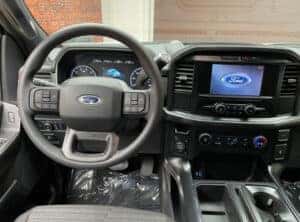
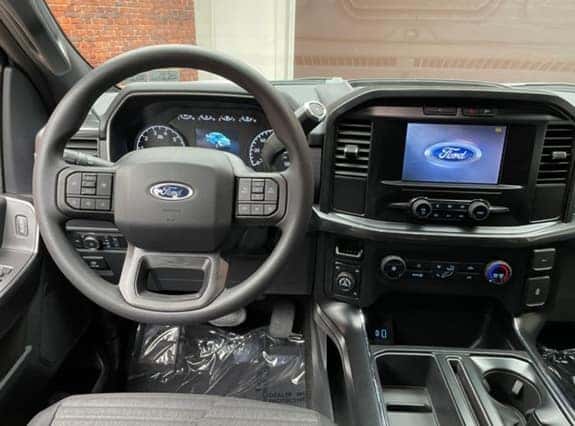
vehicle interior Ford F-150 STX truck near PA

It depends, there are many driving modes to switch to, which include: Normal, Deep Snow/Sand, Slippery, Mud/Ruts, Rock Crawl, Tow Haul, Eco Mode and Sport Mode.

Once you choose one of these F-150 modes, your vehicle will automatically shift into 4WD.

You can choose the driving mode by twisting the knob in the middle of the buttons, depending on what road conditions you plan to drive in.

In less than a few seconds, you can learn to remote start your F-150 truck.

First, ask an expert at Tom Masano Ford in Berks County, PA whether or not your F-150 has remote start capabilities or determine if it does by reading your F-150 owner’s manual.

After you’ve determined that you do have remote start, follow the directions below: 

Remotely Starting Your Ford F-150: 

  1. Ensure all doors are locked by pressing the key fob once
  2. Press the remote start button twice (“X2” inside a circle with an arrow) 
  3. The exterior lamps should flash twice; now you’re ready to roll

The Ford F-150 has a dedicated compartment for storage of the spare tire. F-150 drivers can remove this tire when needed.

If you’ve never owned a Ford F-150 or a truck before, you may find it difficult to locate it, that’s why the experts here at Tom Masano Ford in Berks County, PA are here to guide you. 

If your Ford F-150 was built from 2014-2020 then the tire should be located under the truck bed.

You can unlock it by using your key and then crank it down with the 3-piece rod system tool.

  1. First, locate the 3-piece rod system tool behind the passenger side rear seat. Pull the interior seat down and retrieve the tools
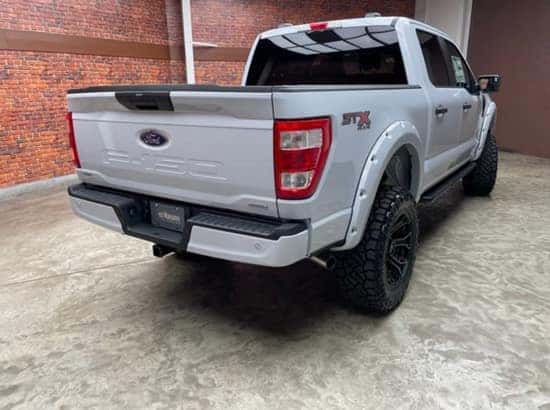
  2. Head to the back of your truck bed door, you’ll see a cap right above your license plate
  3. Remove the cap and use your F-150 truck key to insert it into the cap hole to unlock
  4. Next, remove the port cover, set it aside
  5. You’ll want to assemble the 3-piece rod system and connect the two slim pieces to the L-shaped piece
  6. Now that you’ve assembled the 3-piece-rod system, insert this removal tool into the access port, slightly angle it until you find the white cone inside (this part can be a tad bit difficult but you’ll be able to feel the tool lock once it’s properly in place)
  7. Crank the 3-piece removal tool counterclockwise and begin lowering the spare tire
  8. Remove the connected bracket by reaching over to the center of the spare tire.
  9. Once these steps are completed, your Ford F-150 tire will be freely available to use

Setting up the keypad code from the exterior of vehicle: 

  1. Obtain the factory reset code from Ford for your particular vehicle (you can find this in your owner’s manual; there will be a security code card with a 5 digit pin)
  2. Ensure the F-150 truck is locked 
  3. Enter the factory reset code in the F-150 keypad
  4. Press the 1.2 button 
  5. Now enter your new 5 digit code
  6. You’ll hear a click and this is confirmation that the reset worked

Setting up the keypad code from the interior of vehicle: 

  1. Obtain the factory reset code from Ford for your particular vehicle (you can find this in your owner’s manual; there will be a security code card with a 5 digit pin)
  2. Get inside, turn vehicle on, head to your navigation infotainment screen
  3. Tap on settings, select vehicle option, tap door keypad code, enter factory reset code from Ford
  4. You’ll be prompted: ‘how would you like to edit your keypad code’ 
  5. Now, add and enter a new 5 digit code twice, press enter
  6. You can use this code on the outside of the vehicle to unlock your F-150

Fun fact* if you press buttons: 7.8 & 9.0 at the same time, this will lock all doors on your F-150.

  1. Locate the interior ‘open hood’ lever to the left of the brake pedal but slightly higher
  2. Pull the lever up (the lever will have a car with a hood popped open symbol)
  3. Once you hear the hood pop open, walk to the front of the truck to the hood 
  4. Lift up the hood slightly in the middle; there is another lever down at the bottom, pull to the left and raise the hood open

Lucky for the FordPass app, Ford F-150 drivers can unlock their vehicle even if the keys are locked inside.

Simply follow the steps below and get inside your locked truck:

  1. Go to the Home screen within the FordPass app
  2. Select a vehicle
  3. Press and hold the unlock button and a circle will begin spinning
  4. Your F-150 will now unlock
  • Or, if your F-150 has a keyless entry code available, you can enter your 5-digit code and enter your truck (the factory set 5-digit code is provided in the owner’s manual on a wallet sized card).
  • If all else fails and you still cannot enter your F-150 truck, call roadside assistance and an expert will help you safely unlock your F-150 and retrieve your keys.

Are you experiencing a black screen or is your Ford F-150 radio frozen, not syncing up or is the volume simply not working?

If this is the case, our experts here at Tom Masano Ford near Berks County, PA have an easy solve: 

  1. Hit the power button and the skip forward button at the same time until the Ford logo appears on the screen and it will start its boot up process

This solution should work for 2015 Ford F-150 models and up.

Whether you prefer America’s best-selling pick-up truck for its reliability or practicality purposes, the F-150 is here to help you drive through it all.

Upgrade your F-150 and choose a new or pre-owned Ford F-150 pick-up truck for sale today at Tom Masano Ford in Berks County, PA today and drive to tough, rugged places if you need to.

Get work done and choose the number one F-150 truck!
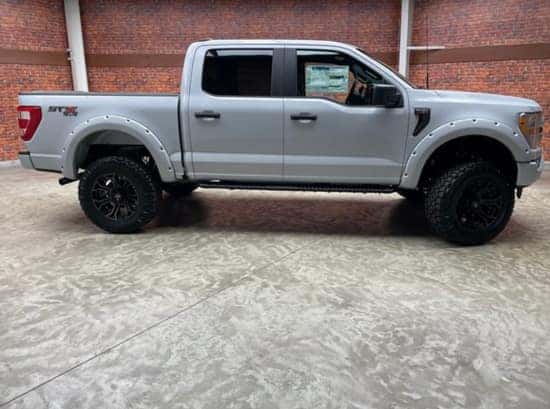
F-150 Trucks for Tough & Comfortable Drives

Menu

Get Directions

1600 Lancaster Avenue, Shillington, PA, 19607
Tom Masano Ford 40.309943, -075.952676.